Machine Database
Find equipment by serial number, model, customer, or organization. Open a machine to see its linked documents, programs, specifications, and service history.
Explore the Machine Database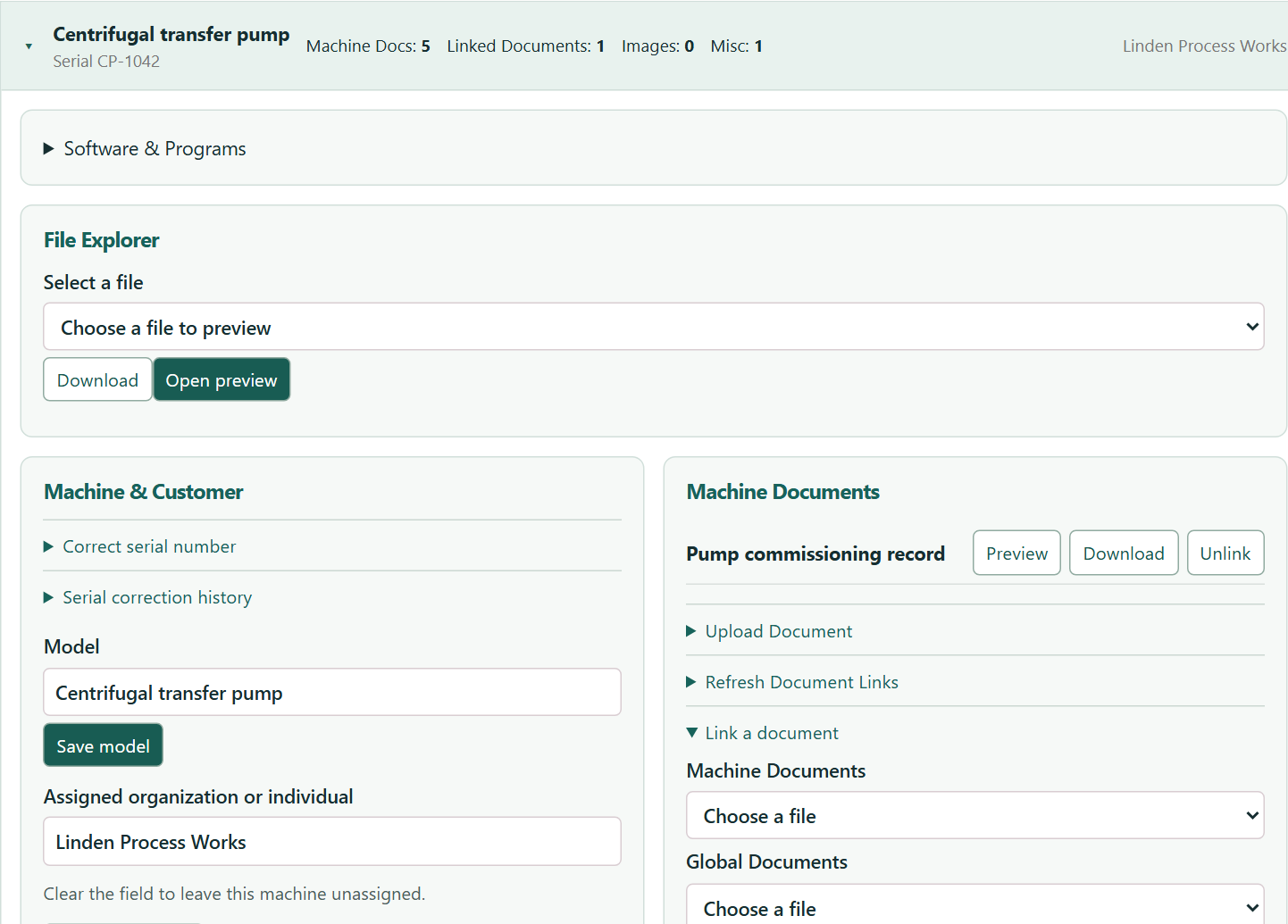
Scan Configuration
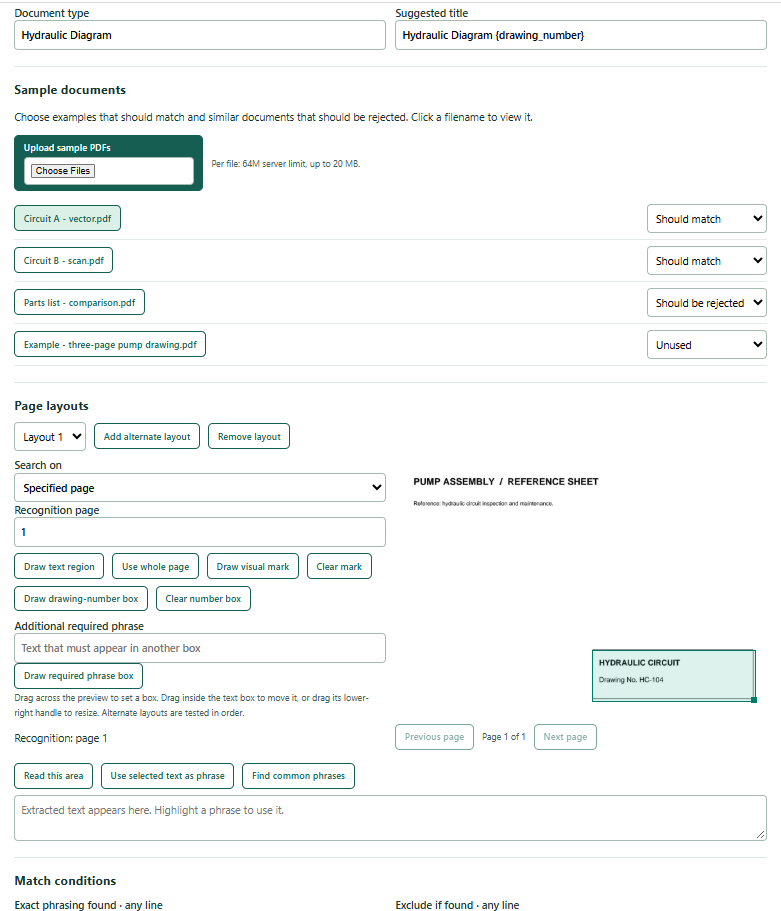
Set rules to recognize uploaded documents and suggest searchable titles from headings, keywords, and drawing numbers.
Try a sample scan rule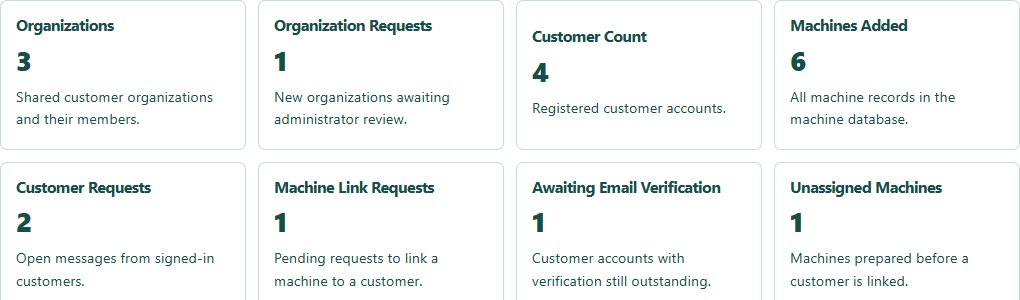
Customer Admin
See organization, customer, machine, and document counts. Select a panel to open its related records.
Open the Customer Admin overview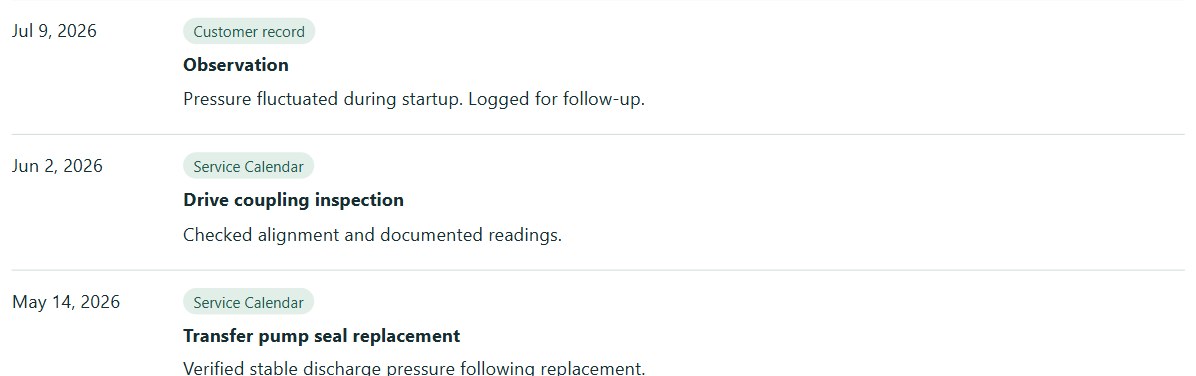
Equipment History
See a machine’s service visits, dated customer records, and parts quote activity in the Customer Portal.
Open Equipment HistoryScan Configuration
Draw boxes around the parts of a PDF that identify it. Find a heading on one page, check a required phrase on another, and pull the drawing number into the title.
Open Scan Configuration in TeamInteractive PDF sample
Team Project Management
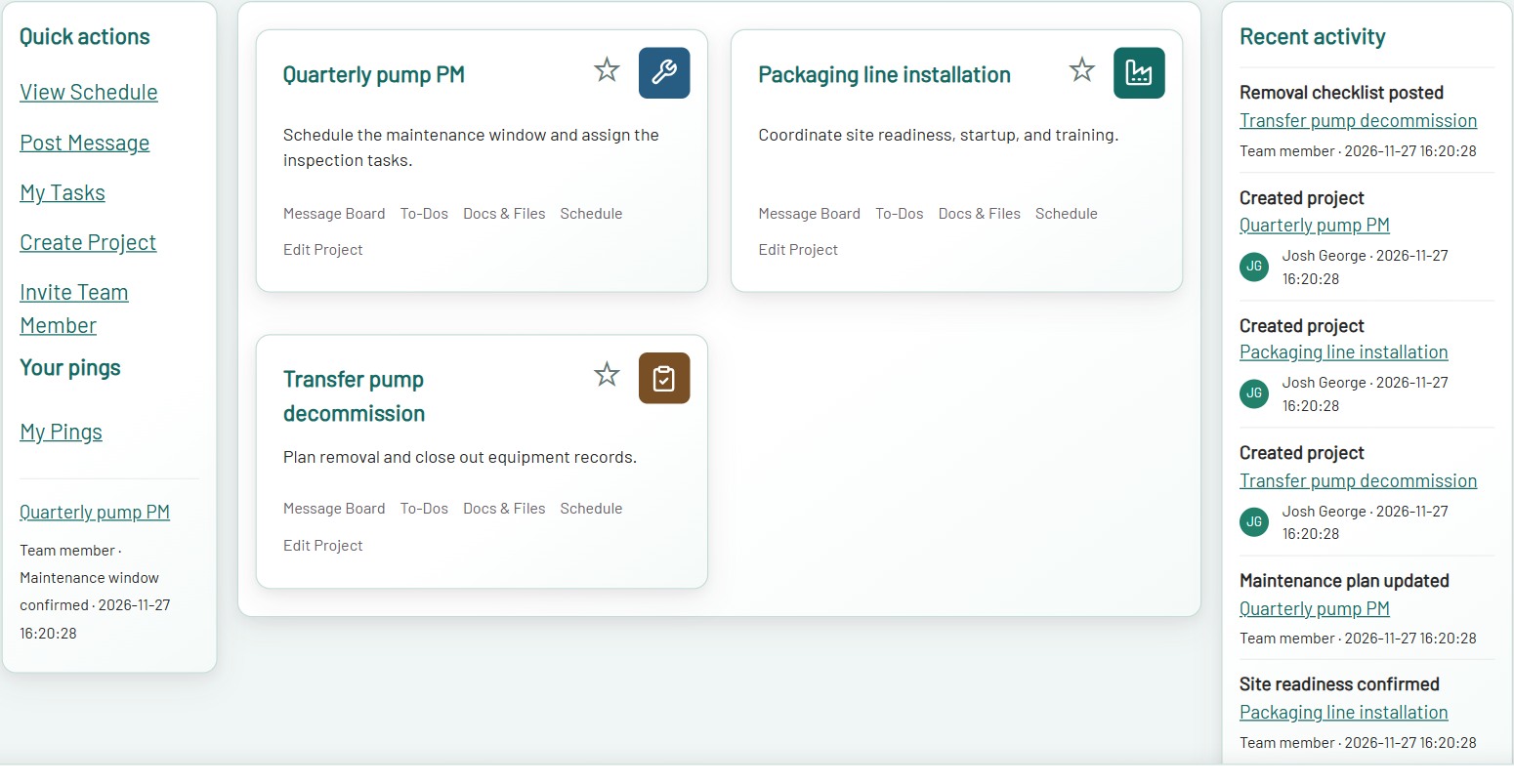
Link a project to a machine and give the team one place for assigned to-dos, schedule dates, progress updates, and project files. Share selected project folders with customers who have access to that equipment.
- Preventive maintenance plans. Assign inspections, confirm parts and tools, and schedule the maintenance window.
- Machine rebuilds and retrofits. Track teardown, parts decisions, reassembly, testing, and handover by serial number.
- Installations and commissioning. Coordinate site readiness, startup, operator training, and customer documents.
- Field service follow-ups. Keep findings, assigned follow-up work, and the return visit together for the next technician.